Sunday, October 25, 2020

 Buletin Teknologi MARDI, Bil. 1(2012): 89– 96 

Penanaman cili menggunakan sistem fertigasi terbuka

(Cultivation of chilli using open fertigation system)Yaseer Suhaimi Mohd., Mahamud Shahid, Mohamad Abd. Manas dan Abdul Kadir Yusoff 


PengenalanTeknologi fertigasi merupakan teknik penanaman yang telah terbukti memberi kesan yang baik pada tanaman sayuran dan buah-buahan. Fertigasi adalah gabungan dua perkataan Inggeris iaitu fertilizerdan irrigation

Dalam sistem ini, pembajaan dan pengairan dilakukan secara serentak. Sistem fertigasi juga ialah satu kaedah tanaman alternatif bagi mengelakkan penyakit bawaan tanah (soil borne disease) seperti pitium, di samping meningkatkan hasil tanaman. Penyakit bawaan tanah seperti pitium dan fusarium mengurangkan dan merosakkan hasil tanaman. Pengeluaran hasil buah cili, melon wangi dan tomato telah meningkat sebanyak 3–5 kali ganda berbanding dengan cara penanaman secara konvensional. Permintaan petani dan usahawan untuk menggunakan sistem ini semakin meningkat, terutama untuk penanaman cili. 

Modal permulaan yang tinggi terutama kos pembinaan struktur pelindung hujan (SPH) telah membantutkan penggunaan teknologi ini dalam kalangan pengusaha cili. Tujuan penggunaan struktur pelindung hujan adalah untuk mengelak baja yang diberikan ke pokok menjadi cair apabila waktu hujan serta mengelakkan penyakit kulat seperti antraknos dan hawar pucuk. Walau bagaimanapun, dengan kaedah pengurusan tanaman yang terkini, penanaman cili dapat dijalankan dengan sistem fertigasi terbuka. Penanaman cili menggunakan sistem fertigasi terbuka ini dapat diaplikasikan untuk pengeluaran cili padi  dan cili merah 

Dapatkan Kertas Penyelidikan lanjut ini daripada eBuletin Mardi melalui link berikut

http://ebuletin.mardi.gov.my/buletin/01/Penanaman%20cili.pdf

Tanam cili merah kaedah fertigasi : Panduan CIli Fertigasi


Tanam cili merah kaedah fertigasi. Tips dan Panduan.


CILI merah atau Capsicum annum adalah tanaman jangka masa singkat yang bernilai tinggi. Penanaman cili merah di negara ini dijalankan menggunakan kaedah konvensional dan sistem fertigasi.

Bagaimanapun, rata-rata petani menggunakan sistem fertigasi berikutan penanaman cili merah menggunakan teknologi ini terbukti dapat meningkatkan hasil dan mempunyai daya maju yang tinggi.

Kos atau modal permulaan tinggi akan diimbangi hasil pengeluaran yang tinggi. Ia juga terbukti berkesan dalam meningkatkan pertumbuhan dan hasil tanaman cili merah sehingga tiga hingga empat kali ganda berbanding kaedah konvensional.

Teknologi ini juga lebih mesra alam berbanding kaedah konvensional dan mengikut amalan pembangunan pertanian lestari, di samping mematuhi agenda pertanian negara.

Fertigasi berasal dari dua perkataan Inggeris iaitu 'fertilization' dan 'irrigation.' Sistem ini juga satu daripada cabang hidroponik yang antara lainnya ialah seperti Sistem Titis Mikro, Hidroponik Aliran Dalam, Hidroponik Aliran Cetek, Hidroponik statik, Aeroponik dan Pemercik Mikro.

Selain cili, sistem fertigasi juga sangat sesuai bagi tanaman sayur berbuah dan berdaun seperti tomato, timun Jepun, cili merah, terung, melon, cili sayur, strawberi serta pokok hiasan. Ia juga sangat sesuai untuk tanaman yang bernilai tinggi di pasaran.


Tanaman sistem fertigasi bertujuan mengelak serangan penyakit akar disebabkan serangga kulat seperti pythium, fusarium, rhizoton dan penyakit layu bakteria yang berpunca daripada tanah.

Dalam sistem ini, pembajaan dan pengairan dilakukan secara serentak. Sistem fertigasi juga satu kaedah tanaman alternatif bagi mengelakkan penyakit bawaan tanah (soil borne disease) seperti pitium, di samping meningkatkan hasil tanaman. Penyakit bawaan tanah seperti pitium dan fusarium mengurangkan dan merosakkan hasil tanaman.

Pemilihan dan penyediaan tapak projek fertigasi adalah langkah kritikal dalam menentukan kejayaan projek penanaman cili fertigasi. Penanaman cili fertigasi secara terbuka tanpa menggunakan struktur pelindung hujan ialah kaedah alternatif kepada pengusaha yang ingin menggunakan teknologi fertigasi, tetapi mempunyai modal atau peruntukan yang terhad.

Tapak projek yang dipilih hendaklah mempunyai sumber air bersih seperti air kolam, tasik, sungai, mata air, air bawah tanah (tube well) atau sumber lain.


Kualiti air seperti tahap keasidan (pH) perlulah diperiksa terlebih dahulu bagi memastikan air itu boleh digunakan. Nilai pH yang sesuai untuk tanaman cili antara 5.5 hingga 6.5. Nilai pH dapat ditentukan dengan meter pH atau menggunakan kertas litmus.

Penggunaan air paip sangat sesuai dengan mengambil kira penambahan kepada kos utiliti. Tapak projek perlu diratakan supaya aliran air baja yang diberikan kepada pokok adalah sama.

Pemberian kuantiti air baja yang sama kepada setiap pokok adalah penting supaya pokok cili dapat mencapai pembesaran seragam. Selepas selesai kerja menyiapkan tapak, tikar 'silvershine' atau 'weed suppresor' dibentangkan bagi mengelakkan tapak projek daripada ditumbuhi rumpai.


Bagi penanaman cili, dua jenis polibeg iaitu bantal dan tegak digunakan. Polibeg berwarna hitam bersaiz kira-kira 50 sentimeter (sm) untuk polibeg bantal dan 40cm untuk polibeg tegak adalah disyorkan.

Penggunaan polibeg hitam lebih tahan lasak dan lama berbanding polibeg putih. Sistem fertigasi bagi penanaman cili mempunyai peralatan lengkap seperti tangki air baja dengan muatan 900 gelen, pam air, pengatur masa, penapis, injap dan paip poli yang terbahagi kepada paip utama, paip sekunder dan paip lateral serta mikro tiub berfungsi membawa larutan nutrien ke setiap beg tanaman.


Jarak antara baris yang disyorkan ialah 13sm, manakala jarak antara polibeg ialah empat sm serta disusun sebaris bagi memudahkan kerja pengurusan tanaman. Sistem fertigasi perlu dipasang sebelum anak pokok cili dipindahkan ke dalam polibeg. Sistem pengairan juga boleh diautomasikan dengan pemasangan pengatur masa.

Varieti cili hibrid disarankan bagi penanaman secara fertigasi seperti Kulai dan Cili Bangi, manakala bagi cili padi yan berpotensi pula seperti Cili Bara, Centil dan Full Sky. Bagaimanapun, pemilihan varieti bergantung kepada kehendak dan permintaan pengguna bagi memudahkan aktiviti pemasaran.


artikel asal : https://www.hmetro.com.my/xpresi/2020/01/534380/tanam-cili-merah-kaedah-fertigasi

oleh Zaitie Satibi  - zaisa@hmetro.com.my


Saturday, October 24, 2020

Perpetual Income Every Month..!

How Ordinary People Are Manipulating This

SECRET ALGORITHM

To Make Perpetual Income Every Month!


 Visit Now


Saturday, August 1, 2015

Samsung UN50J6300 50-Inch 1080p Smart LED TV (2015 Model)

Samsung UN50J6300 50-Inch 1080p Smart LED TV (2015 Model) Samsung J6300 Series LED Smart TV Enjoy rich, vibrant visuals and convenient streaming options with the Samsung J6300 Series LED Smart TV.

Boasting Samsung Micro Dimming Pro and a Motion Rate of 120, this Smart TV delivers a responsive, realistic picture with accurate contrasts and bright colors. It also features versatile connectivity and streaming options, so you can view and play media from nearly any device.

  CLICK to Purchase

Customer REVIEW ;


What's in the Box: Product Features and Technical Details Size: 50-Inch | Style: TV Product Features Refresh Rate: 120CMR (Effective) Backlight: LED Smart Functionality: Yes, Built in Wi-Fi: Yes Dimensions (W x H x D): TV w/ stand: 44" x 27.7" x 12.2", TV w/o stand: 44" x 25.3" x 2.5" Inputs: 4 HDMI, 3 USB Technical Details Brand Name: Samsung Model Number: UN50J6300AFXZA Display Technology: LED Display Size: 125.7 centimeters Image Aspect Ratio: 16:09 Resolution: 1080p Refresh Rate: 1 Hz Review : I wasn't ready to make the leap to 4K, especially considering that there's hardly anything currently being broadcast / streamed in 4K. I warmly welcomed Samsung's new 1080p display for 2015 and it delivers upon expectations. While initial settings could always use a slight tweak, the J6300 looks amazing out of the box and doesn't require much tinkering. The App selection is a little light at the moment, but considering the new model and new OS, it's to be expected. This TV is replacing an older set that was pretty useless during sunlight hours - the J6300 adjusts to ambient room light via its Eco-sensor and looks great under all circumstances. I was also pleasantly surprised by the sound on this unit considering its small frame. Good, bad, indifferent: I can now see every wrinkle, crack, freckle, crease, and mark on some of my favorite TV characters! Great quality, great price. Enjoy!

CLICK to Purchase


Saturday, July 31, 2010

Blogging to the bank?

http://www.bloggingtothebank.com

How SEOPressor Can Save Your Optimization Time Immensely

SEOPressor is a tool that is used by people all over the world for their on-page optimization needs. Simply put, this is a program that can definitely elevate the standard of your website, in the manner that it helps your website reach out on the Internet. The simple logic here is that if your website can reach out to more people, it will have more business, and that’s exactly what SEOPressor helps you achieve. As you get even the top position on Google within your niche—which is something that SEOPressor has achieved time and again—it becomes very a given that your business prospects are only going to improve.

The one fact is—you are going to optimize your website in some way or the other, with or without a software application. But if you are planning to do things manually, the big drawback is that you won’t get the time to pursue your main business itself. SEO is a highly time-consuming activity, and you will find yourself wasting a great deal of time in blogging, marketing with articles, submitting to directories, sending emails to other webmasters for sharing links with them and so on.

Naturally, these things are going to take a lot of your time. Now just think—if you would just delegate all this work to a tool like SEOPressor, won’t you be saving some immense amount of time? Time that you could better use in increasing your business?

Probably it is this thought that is making a lot of people invest in SEOPressor today. The following are some time-consuming things that SEOPressor can do for webmasters:-

1. It finds out the hottest keywords on the Internet and tells you how you can use them. It keeps monitoring the keywords and continuously makes suggestions. It also tells you what density you should use the keyword in and what special formatting you need to keep it. All these things could be very time-consuming if done manually.

2. The program also looks at the tags you have used and makes suggestions on how to improve prospects. It makes suggestions on which tagging formats should be used—H1, H2 or H3—and carries it out by itself.

3. If you run a blog, SEOPressor will look at your individual posts and suggest changes if anything is wrong. It also tells you the value of each of your existing posts.

So, it is not just about optimizing your on-page needs but it is also about actually suggesting changes. The program is quite faithful to you; like an obedient animal it will do your bidding and improve the chances of your website on the Internet.


http://www.bloggingtothebank.com

Sunday, July 4, 2010

The Windows Installer service could not be accessed

The Windows Installer service could not be accessed

Error message when you try to add or remove a program on a computer that is running Windows XP or Windows Server 2003: "The Windows Installer service could not be accessed"

When you try to install a software application on Windows XP or Windows Server 2003, you may receive the following error message:

SYMPTOMS
The Windows Installer Service could not be accessed. This can occur if you are running Windows in safe mode, or if the Windows Installer is not correctly installed. Contact your support personnel for assistance.

Note: This problem may also occur when you try to uninstall a software application.


CAUSE :
This problem may occur if one of the following conditions is true:

* The Windows Installer files that are on your hard disk are damaged or are missing.
* You install or remove a program that uses the Windows Installer Microsoft Software Installation (MSI) package file (.msi). For example, this may occur when you try to install Microsoft Office on your computer.

SOLUTION (ad advised by Microsoft)

Method 1: Reregister the Windows Installer
To reregister the Windows Installer, verify the location of the Msiexec.exe file on your hard disk and in the Windows Registry, and then reregister the Windows Installer. To do this, follow these steps.

Note Because there are several versions of Microsoft Windows, the following steps may be different on your computer. If they are, see your product documentation to complete these steps.

1. Determine the location of the Msiexec.exe file on your hard disk. To do this, follow these steps:
1. Click Start, click Run, type %windir%\system32, and then click OK.

Note This step will open the folder where the Msiexec.exe file is located.
2. Make a note of the location of the Msiexec.exe file. The location of the Msiexec.exe file will be a combination of the value in the Address text box and the Msiexec.exe file name itself.

For example if the Address text box contains a value of C:\Windows\system32, the location of the Msiexec.exe file will be C:\Windows\system32\Msiexec.exe.
2. Important This section, method, or task contains steps that tell you how to modify the registry. However, serious problems might occur if you modify the registry incorrectly. Therefore, make sure that you follow these steps carefully. For added protection, back up the registry before you modify it. Then, you can restore the registry if a problem occurs. For more information about how to back up and restore the registry, click the following article number to view the article in the Microsoft Knowledge Base:
322756 (http://support.microsoft.com/kb/322756/ ) How to back up and restore the registry in Windows


Make sure that the location of the Msiexec.exe file in Registry Editor is correct. To do this, follow these steps:
1. Click Start, click Run, type regedit in the Open text box, and then click OK.
2. Expand HKEY_LOCAL_MACHINE, expand SYSTEM, expand CurrentControlSet, expand Services, and then click MSIServer.
3. In the right pane, right-click ImagePath, and then click Modify.
4. In the Value data text box, type the location of the Msiexec.exe file that you determined in step 1, followed by the value of /V, and then click OK.

For example, if the location of the Msiexec.exe file is C:\Windows\system32\Msiexec.exe, type the following text in the Value data text box:
C:\WINDOWS\System32\msiexec.exe /V
5. Click OK to close the Edit String dialog box.
6. Click the File menu, and then click Exit to close Registry Editor.
3. Start your computer in safe mode, and then register the Msiexec.exe file. To do this, follow these steps:
1. Click Start, and then click Turn off computer or Shut Down.
2. Select the Restart option, and then click OK, or click Restart.
3. Press F8 before the Windows splash screen appears.
4. On the Windows Advanced Option menu, use the arrow keys to select the Safe Mode option, and then press ENTER.
5. If you use a dual-boot or multiple-boot computer, select the appropriate operating system from the list that is displayed, and then press ENTER.
6. Log on to the computer.
7. Click Start, click Run, type msiexec /regserver in the Open text box, and then click OK.

Note For 64-bit operating systems, you also have to reregister the 64-bit MSI installer. To do this, click Start, click Run, type %windir%\Syswow64\Msiexec /regserver in the Open text box, and then click OK.

On 64-bit editions of the Windows operating system, 32-bit binaries are located in %systemroot%\SysWow64 folder. The 64-bit binaries are located in the %systemroot%\System32 folder.
8. Click Start, and then click Turn off computer or Shut Down.
9. Select the Restart option, and then click OK, or click Restart.

If the issue persists, and you still receive the error message that is mentioned in the "Symptoms" section, follow the steps in Method 2.
Back to the top
Method 2: Reinstall the Windows Installer
To reinstall the Windows Installer, rename the damaged Windows Installer files, and then reinstall the Windows Installer. To do this, follow these steps:

1. Click Start, click Run, type cmd in the Open text box, and then click OK.
2. Type cd %windir%\system32, and then press ENTER.
3. Type attrib -r -s -h dllcache, and then press ENTER.
4. Type ren msi.dll msi.old, and then press ENTER.
5. Type ren msiexec.exe msiexec.old, and then press ENTER.
6. Type ren msihnd.dll msihnd.old, and then press ENTER.
7. Type exit, and then press ENTER.
8. At the command prompt, type exit, and then press ENTER.
9. Click Start, and then click Turn off computer or Shut Down.
10. Select the Restart option, and then click OK, or click Restart.
11. Log on to the computer.
12. Download and install the latest version of the Windows Installer. For more information about how to obtain the Windows Installer, click the following article number to view the article in the Microsoft Knowledge Base:
893803 (http://support.microsoft.com/kb/893803/ ) Windows Installer 3.1 v2 (3.1.4000.2435) is available
13. Click Start, and then click Turn off computer or Shut Down.
14. Select the Restart option, and then click OK, or click Restart.

5 Common Habits That Cost You Dearly


An interesting article to read, at least this knowledge will keep you of that debt radar!


5 Common Habits That Cost You Dearly


Kerry K. Taylor, On Thursday July 1, 2010, 10:19 am EDT

Most of us are guilty of a few bad habits during our lifetimes. There's eating too much of the fun stuff, not exercising enough to burn it off, and spending tomorrow's paycheck today. Sure, getting fit and keeping a budget can be tough habits to keep, but avoiding these five common bad habits can add some easy money to your bottom line.

[Slideshow: 10 Things to Splurge on This Summer.]

1. Paying only the minimum balance. Paying just the minimum on your credit card balance every month may keep your creditors happy, but it's not helping you pay off the growing interest charges.

Credit card companies love to highlight the Minimum Payment Due on your monthly bills -- it's a trick they use to stretch out your payments for years, costing you hundreds and even thousands of dollars in interest. For example, a $5,000 balance with a monthly minimum payment of 4 percent and an APR of 18 percent will take you just over 11 years to pay off, costing you around $2,875 in total interest paid.

Don't believe me? Check out this Credit Card Calculator to get a head start today and see the real cost of paying only the minimum. Results are shocking, and you may just rethink your minimum payment habit since it can cost you thousands.

2. Buying a brand new car. If you love that new car smell then take a whiff of how much you've lost in depreciation just by driving it off the lot. According to popular car site Edmunds, "New cars depreciate very quickly when they are first sold. Drive a new car off the lot and it can lose 20 percent of its value."

The Edmunds True Cost To Own calculator shows the math behind this common depreciation. For example, a brand new 2010 Subaru Outback with a sticker price of $25,221 depreciates a startling $4,138 in the first year of ownership, $2,690 in the second year, and another $2,367 in the third. That's over a third of the car's initial value depreciating in three years.

Why pay such a steep price when there's a smarter driving habit to consider? Buying a used car can save you big! Opting for a used car over a new one will not only cost you thousands less on the initial price, but the depreciation is less drastic too. That same Subaru Outback only depreciates around $1,800 in year five, so skipping the new wheels and driving a gently used car will save you thousands of dollars a year.

If you're in the market for a newly used car, learn the gotchas in How To Buy a Used Car (without sipping lemonade). This guide on How to Sell Your Used Car Online is helpful if you're looking to sell your clunker for something with fewer miles.

3. Smoking. We all know that smoking is terrible for your health, but have you considered what this deadly habit does to your wealth? By smoking one pack of cigarettes a day at an average cost of $5.33 per pack, this common habit can cost $1,945 in just one year. After five years, you've burned through over $9,700 dollars just to light up. Not to mention the potential for steep health care costs down the road.

4. Keeping a drafty attic. If your house has an attic, then chances are it's leaking dozens of dollars a year in energy costs. Adding insulation and making the attic hatch airtight with weather stripping can reduce your year-round energy use between 20 to 60 percent, saving you hundreds a year. Try these easy 3 Attic Insulation Methods to Seal in Savings to cut these drafty leaks from your wallet. While you're looking for energy savings, consider buying a few inexpensive foam insulation gaskets and outlet plugs to Child Proof Your Electrical Outlets to Cut Energy Costs -- this is a fun and easy DIY project.

[See 6 Ways to Cut Costs on Your Next Move.]

5. Ignoring your student debt. You graduated how many years ago? Stop procrastinating and pay down that student loan already. Keeping that debt around for years isn't the best way to relive your college years, especially since it's costing you dearly in interest charges to carry the balance. If you don't have a plan to conquer the debt, grab a simple calculator and look at ways to increase your payments. I wrote about my own student loan experience in How I Paid Off My Student Debt in Six Months, and managed to break free from a $17,000 loan fast. You can do it too.

Kerry K. Taylor writes at Squawkfox.com, a blog where personal finance and frugal living are sexy, delicious, and fun. Kerry is the author of 397 Ways To Save Money: Spend Smarter & Live Well on Less.

Sunday, May 23, 2010

Blogging for Gold

To be successful you need traffic. Tonnes of them.

Two of the most helpful guide on blogging are as follows,

Rapid Mass Traffic.
Get Rapid Mass Traffic Without Google. No More Adwords, Seo, Article Writing, Media Buys, Blogging, Social Bookmarking, Link Building, Joint Venture Partners, Adswaps
Click Here!

and

Miracle Traffic Bot Submitter Software (3 In 1) By Paul Ponna.
Click Here!

Case Logic Compact Portable Hard Drive Case (Black)

Case Logic Compact Portable Hard Drive Case (Black)


The case is well designed and made. The outer material feels durable, the inner shell soft and well padded. The overall case is well formed and seams look carefully done.

I bought this to be used with the Western Digital Passport II (black) WDXMSxxxx drives (5.1"x3.1"x0.6") and the case is a tad too big for it. The drive has a little too much wiggle room despite the elastic strap inside. I imagine the case will be better fitted for slightly bigger drives, e.g. Seagate's ST9xxxxx1U2-RK.

Technical Details

* Compact case to store or transport smaller portable hard drives
* Slimline design allows case to easily fit into any backpack or briefcase
* External Dimensions - 6.75 x 5 x 1.75 inch


Case Logic Compact Portable Hard Drive Case (Black)
Compact case to store or transport smaller portable hard drivesSlimline design allows case to easily fit into any backpack or briefcaseDurable, hardshell exterior to protect valuable dataInterior strap secures portable hard drive in placeZippered closureFits hard drives up to: 6" x 3.75" x 1.25"


Get Yours Today


More Pictures :


Friday, May 21, 2010

The Command-Line Options for the Microsoft Windows Installer Tool Msiexec.exe

The Command-Line Options for the Microsoft Windows Installer Tool Msiexec.exe

Dear friends, PLEASE read the disclaimer written by microsoft and tell me what you think.

http://support.microsoft.com/default.aspx?scid=kb;en-us;314881

Windows Installer 3.1 is available

http://support.microsoft.com/?id=893803

Windows Installer Error Messages

http://msdn.microsoft.com/library/default.asp?url=/library/en-us/msi/setup/windows_installer_error_messages.asp

PRB: "Setup Has Detected That Another Program Requires the Computer to Reboot" Error Message When You Try to Install Visual Studio .NET

http://support.microsoft.com/default.aspx?scid=kb;en-us;830608

Back to the top
APPLIES TO

* Microsoft Windows Server 2003, Enterprise Edition (32-bit x86)
* Microsoft Windows XP Professional
* Microsoft Windows XP Media Center Edition 2002
* Microsoft Windows XP Home Edition
* Microsoft Windows Server 2003, Standard Edition (32-bit x86)
* Microsoft Windows Server 2003, Web Edition
* Microsoft Windows Server 2003, Datacenter Edition (32-bit x86)
* Microsoft Windows Server 2003, Enterprise Edition for Itanium-based Systems
* Microsoft Small Business Server 2000 Standard Edition

PLEASE READ THIS DISCALIMER BY MICROSOFT!
Community Solutions Content

COMMUNITY SOLUTIONS CONTENT DISCLAIMER
MICROSOFT CORPORATION AND/OR ITS RESPECTIVE SUPPLIERS MAKE NO REPRESENTATIONS ABOUT THE SUITABILITY, RELIABILITY, OR ACCURACY OF THE INFORMATION AND RELATED GRAPHICS CONTAINED HEREIN. ALL SUCH INFORMATION AND RELATED GRAPHICS ARE PROVIDED "AS IS" WITHOUT WARRANTY OF ANY KIND. MICROSOFT AND/OR ITS RESPECTIVE SUPPLIERS HEREBY DISCLAIM ALL WARRANTIES AND CONDITIONS WITH REGARD TO THIS INFORMATION AND RELATED GRAPHICS, INCLUDING ALL IMPLIED WARRANTIES AND CONDITIONS OF MERCHANTABILITY, FITNESS FOR A PARTICULAR PURPOSE, WORKMANLIKE EFFORT, TITLE AND NON-INFRINGEMENT. YOU SPECIFICALLY AGREE THAT IN NO EVENT SHALL MICROSOFT AND/OR ITS SUPPLIERS BE LIABLE FOR ANY DIRECT, INDIRECT, PUNITIVE, INCIDENTAL, SPECIAL, CONSEQUENTIAL DAMAGES OR ANY DAMAGES WHATSOEVER INCLUDING, WITHOUT LIMITATION, DAMAGES FOR LOSS OF USE, DATA OR PROFITS, ARISING OUT OF OR IN ANY WAY CONNECTED WITH THE USE OF OR INABILITY TO USE THE INFORMATION AND RELATED GRAPHICS CONTAINED HEREIN, WHETHER BASED ON CONTRACT, TORT, NEGLIGENCE, STRICT LIABILITY OR OTHERWISE, EVEN IF MICROSOFT OR ANY OF ITS SUPPLIERS HAS BEEN ADVISED OF THE POSSIBILITY OF DAMAGES.

How to resolve Common "Windows Installer" Problems

How to resolve Common "Windows Installer" Problems
Author: Yuval Sinay MVP

This is a common problem i faced, here is the solution but i do not know whether it will work properly. I have tried method one with no success, but i guess microsoft need to give serious attention to Windows Installer problems.

Here is how - written by Yuval Sinay of Microsoft Support. He has Listed 12 different method to do this.


Resolve Common "Windows Installer" Problems
Method 1


Unregister Windows Installer, and then reregister Windows Installer. To do this, follow these steps:

1. On the "Start" menu, click "Run:.

2. In the "Open" box, type "msiexec /unreg", and then press ENTER.

3. On the "Start" menu, click "Run".

4. In the "Open" box, type "msiexec /regserver", and then press ENTER.


Method 2


Upgrade to Windows Installer version 2 or newer version. To do this, follow these steps:

1. Start Microsoft Internet Explorer, and then browse to the following Microsoft Web site:

http://msdn.microsoft.com/downloads

2. In the left pane tree menu, click "Setup and System Administration", and then click "Setup".

3. Click "Windows Installer", and then click the appropriate link for your operating system.

4. Click "Download" to download and install Windows Installer version 2 or newer version.


Method 3


Use Windows Installer CleanUp Utility to uninstall the failed product.

Description of the Windows Installer CleanUp Utility

http://support.microsoft.com/default.aspx?scid=kb;en-us;290301


Method 4


The Windows Installer service may disabled on the machine.

1. Go to "Start" -> "Run" , type "services.msc" and press on "Enter" button.

2. Double-click on the service named "Windows Installer".

3. Check the value in the "Startup type:" field. If it's currently set to "Disabled", then this is the

problem. Change it by selecting "Manual" from the drop-down box.


Method 5


Empty user and system "temp" folders.

1. Empty "%systemdrive%\temp" folder.

2. Empty "%systemdrive%\%windir%\temp" folder.

3. Empty "%systemdrive%\Documents and Settings\%username%\Local Settings\Temp".


Method 6


Enable Windows Installer Logging and call to PSS support.

How to Enable Windows Installer Logging

http://support.microsoft.com/default.aspx?kbid=223300

How to Enable Windows Installer Logging in Windows XP

http://support.microsoft.com/default.aspx?scid=kb;EN-US;314852


Method 7


Check correct DCOM and System permissions:

http://support.microsoft.com/?id=319624


Method 8


If you just upgrade Windows XP workstation to service pack 2 and the windows installer

problem appear only after this upgrade, please review the following knowledgebase:

http://support.microsoft.com/default.aspx?scid=kb;en-us;885894


Method 9


Check that the installation path length and environment variables length are execute

255 characters


Method 10


If you get the message error "Error 1628: Failed to complete script based install"

And followed the instruction above and it didn’t resolve the problem and you just create fresh

installation packet by using InstallShiled tool, please disable "Cache installation on local machine"

option during the installation packet create process.


Method 11


Check if there pending installation/s:


Warning: You should only edit these registry entries if you really know what you're doing. Back up your hard disk first.

a. Empty "InProgress" Registry Key

Check the following registry key:

HKLM\Software\Microsoft\Windows\CurrentVersion\Installer\InProgress

and clean any entries that you find.

b. Empty/Rename "PendingFileRenameOperations" Registry Key:

Check the following registry key:

HKLM\System\CurrentControlSet\Control\Session Manager\PendingFileRenameOperations

and clean any entries that you find.


Method 12


Obtain update MSI Package from the software manufacture.


Article : How to resolve Common "Windows Installer" Problems by Yuval Sinay from :
http://support.microsoft.com/kb/555175

Friday, December 18, 2009

Blogging Universities.

If only there is a degree for blogging, LiewCf could have got a phd on this. Edwardkhoo maybe his first degree. - just that the field is not formalised in the education system yet. (think about it) . a person have to acquire some skills to make money online. Whenever there is a learning curve involved, there is 'education' and process of learning going on.

i posted above comment on recent LiewCF blog. DO you really think we need to have a formal education on Blogging and Internet Marketing, like a degree or diploma. I beleive in the marketing field, someone can do a thesis or detail study on this matter. I remember buying a book froma Harvard Graduate entitled 'NetWorth' written by John Hagel III and Marc Singer.

The book basically is about Looking at the future of e-commerce, Hagel (coauthor of Net Gain) and Singer, both principals in the consulting firm McKinsey & Company, add a provocative twist to the conventional view that those companies with the best information about their customers will be the most successful.

They examine not only how companies can acquire information about consumers but also, crucially, how consumers can control dissemination of their personal information and even charge companies for their use of it. To the ever-expanding e-commerce lexicon they add a new term: "infomediaries."


That part of this thread is taken from Amazon. Amazon best decribed the authors book synopsis.

The book published by Harvard Business Press. I believe, we can have someone with a specialised degree in Blogging and Internet Marketing or popularly pronouced by goverments and formal institutions as e-commerce.

to view the book visit the link below

Tuesday, November 10, 2009

Thank You Eblog Template & Hong Kiat.com

Hi Shah-

Thank you for subscribing to eBlog Templates exclusive email content!

Our goal is to make you more successful as a blogger by providing you the knowledge and tools all for free.

I will be sending you some great tips and tricks over the next few days that will help you become a much better blogger.

In the meantime, I recommend spending time reading our latest blog articles and comments where you can exchange knowledge with other bloggers just like you.

Our blogging community is our strongest asset so I encourage you to utilize it.

Best of luck with your blog and I will see you again soon!

To Your Blogging Success,


~David Cowgill


Founder, eBlog Templates
http://www.eblogtemplates.com


---- I SHOULD THANK YOU MORE!!!!

Withdraw/Direct Transfer your PayPal Account money to Bank in Malaysia

Withdraw/Direct Transfer your PayPal Account money to Bank in Malaysia without buying any debit card. Just use your own ATM card to do this.

Almost all the bank in Malaysia is now accepting PayPal direct bank account transfer. Mayabnk, CIMB, Hong Leong, Public Bank.. all..the the images below.

Thank You Paypal for making it easier for Malaysian.!!!


Here si how you do it.

1. Login yo your paypal account.
2. Click withdraw
3. Tt will show you to choose withdraw to local bank. click. and the window will appear.
4. Withdrawal charges apply up to RM3.00 only. (you can check the details charges)for more than $400 its free it think.
5. Select your bank plus the bank code.
6. Key in your bank account number.
7. Key in your amount and watch the currency conversion rate.
8. Agree withthe amount
9. Then submit. you can always check the detail transaction later and see the cost deducted from the original amount transfered. Just about MYR3.00.

10. Transaction will be processed/ your hard Earned internet money from your PayPal Account will be in your personal local bank in 2-3 Business Day.

THANK YOU SO MUCH PAYPAL for making it easy for us in Malaysia. I hope this is helpful guys.

regards,
SHAH


Withdraw/Direct Transfer your PayPal Account money to Bank in Malaysia

My Internet money in paypal account can now be withdrawn directly into your local bank account in a very simple step.

Tuesday, November 3, 2009

Window 7 : Your PC Simplified - by Microsoft Corporation : A Review

Window 7 , Your PC Simplified by Microsoft Corporation

Microsoft Higlights WIndow 7 and explain it in details how

1. Windows 7: Your PC, simplified
- how Windows 7 helps make your everyday tasks faster and easier

2. Find more things in more places
- Windows 7 makes searching easy so you quickly find what you need

3.Take the work out of networking
- Windows 7 HomeGroup allows you to set up a home network and share files

4.Browse the Web with ease
- With Windows 7 and Internet Explorer 8, browsing the Web is faster and easier

5.Windows 7 Enterprise
- Reduce management costs, improve productivity, and manage risks. Test in your environment today

6.Build applications that are compatible with Windows 7
Download the Windows 7 Training Kit for Developers to access presentations, hands-on labs, and demos

Sunday, September 6, 2009

Google Site

Have you tried Google Sites? How to make full use of it?


What you can do is, If you-re running out of hosting space in your hosting plan, u can use Google Site to host the content of your subdomain.


As google site is only to point to your subdomain. for example,


you have minniemouse.com, you want to create a subdomain ilovemickey.minniemouse.com. - you can use Google Site to create your content, with a few more page, loads with adsense, video, graphic and so on.


If you are a beginner and new to webdesign, Google Site is perfect for you. It is very easy to use and fill with ;

1. easy and user friendly control panel, (takes about 10 minutes to understand and master how it function) no HTML required.

2. easy one column sales letter, simple 2 or 3 column template,

3. built in with adsense, just add you code and grant access later in adsense.com

4. Generate sitemap for you. (great features)

5. No limit for the number of pages -


you can upload files and attachments Use the file cabinet to upload files up to 10MB in size. Each Google Apps account receives at least 10GB of storage in Google Sites. Google Apps Premier and Education editions get an additional 500MB for each user account.


Example of sites by Google.


Home (Organic City Intranet)


Home (Ski Club)


try it folks..


NOTE : the default domain for Google Site can be changes through Google Apps. Administrators can change the URL for any public site in Google Sites.


Using "donaldduck.com" as the example domain, and donaldduck-site as the site, the standard URL for a site is, http://sites.google.com/a/donaldduck.com/donaldduck-site. This could be changed to donaldduck Web Page through the Google Apps control panel.

Monday, August 24, 2009

Windows 98 SE, XP or Vista which is or was best?

The difference between the three windows OS is 'stability and ease of use'.

It is always much easier to use and install new programs with Windows 98 SE and XP than Windows Vista. If you purchase a third party software and install in the later version which is 98, you wont face much problem, during installations and updates for the software.


But with XP and VIsta i always face difficulty with the win32 error and requires a lot of reinstalling and tweaking. As for interface of course Vista provides you with a more modern and elegant looks. Ease of use got to be 98, and os without much hassle.

Windows 98 SE features
Windows 98 SE


Microsoft Windows 98 has quickly become the standard operating system for the vast majority of (non-Macintosh) personal computer owners. If you're thinking about upgrading from Windows 95, or adding Windows 98 on to a multi-OS platform, you'll get a comfortable, fairly intuitive graphical user interface, with point-and-click simplicity.

The biggest (and most controversial) feature of Windows 98 is its deep Internet integration. The Internet Explorer browser bundled with Windows 98 pops up constantly, inviting you to connect to the Internet and surf the Web quickly and easily. All the plug-ins you need are supported, and for folks who don't want a high level of under-the-hood control of their OS and Internet software, the stability of the combo can't be beat. In fact, diehard Netscape users often don't uninstall Internet Explorer from Windows 98 because the program is so deeply integrated in the OS.

Windows 98 has all the features of Windows 95, but some have been retooled, renamed, and spruced up. Perhaps the nicest improvement about Windows 98, though, is its use of a better file allocation system, enabling much more efficient use of hard drive space. Windows 98 supports the most widely used software programs, peripherals, and hardware, and it comes standard on most new PCs in the United States.


What the pro says obout XP.


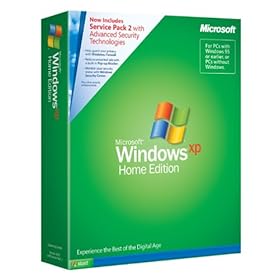
With Windows XP Home Edition with Service Pack 2, you get safer browsing and communication, powerful security tools, and improved experiences. Packed with multimedia features, Windows XP Home Edition with Service Pack 2 aims to unlock the full potential of your personal computer. It also looks great, with rounded window corners, larger and more detailed icons, and a clean-look desktop.


The Security Center lets you check the status of your essential security settings.
The best thing about Windows XP is that, because it belongs to the Windows NT/2000 product family, it's designed from the ground up for reliability, security, and networking. XP Home users will soon see the benefits of this. The dreaded Windows crash-and-reboot cycle really is much less common with XP, and, provided the hardware is up to scratch, XP's performance is better, too. The downside is that using a different code base can make compatibility with old applications less assured. Business applications normally run fine, but older games, MIDI software, and system utilities may well cause problems.

Windows XP is more customizable than previous versions, including its visual themes that let you change the whole appearance of Windows in an instant. Fast User Switching is a neat feature for computers used by more than one person--it lets another user log on without killing the previous user's session, and when you switch back, running applications and open documents are as you left them. This is impressive, but what really counts is that XP understands how to deal with multiple users. Each user has their own special folders, such as My Documents, which cannot be seen by other users. And for those with more than one computer, the network setup wizard simplifies setting up a network.


What the pro says obout Vista.


Windows Vista Home Premium with Service Pack 1 is the preferred edition for home desktop and mobile PCs. It provides a breakthrough design that brings your world into sharper focus while delivering the productivity, entertainment, and security you need from your PC at home or on the go.


Compare Windows Vista editions.

Windows Vista Aero provides spectacular visual effects such as glass-like interface elements that you can see through.


The redesigned Windows Media Center in Windows Vista lets you enjoy your media throughout your home, even on your Xbox 360. View larger.
Improved Reliability and Performance
Windows Vista with Service Pack 1 and improvements delivered by hardware and software partners increase the reliability, performance, and compatibility of Windows Vista-based PCs.

With Windows Vista with SP1, many of the most common causes of operating system crashes and hangs have been addressed. Windows Vista includes new, innovative technologies that help pinpoint and diagnose issues reported anonymously by Windows Vista-based PCs from millions of users who have elected to have their PC send us system information.

Windows Vista with SP1 supports a number of important new technology standards, so it will keep making your PC easier and more enjoyable to use for years to come.

Windows Vista Home Premium with Service Pack 1 delivers more ease of use, security, and entertainment to your PC at home and on the go.
Here it is: the preferred edition of Windows for home desktop and mobile PCs. Windows Vista Home Premium with Service Pack 1 delivers the productivity and entertainment that you need from your PC at home or on the go. It includes Windows Media Center, which helps you more easily enjoy your digital photos, TV, movies, and music. Plus, you'll have the peace of mind of knowing that your PC has a whole new level of security and reliability. All together, Windows Vista Home Premium with Service Pack 1 redefines enjoyment in home computing.

It starts with a breakthrough design that makes your PC easier to use every day. With Windows Aero, you'll experience dynamic reflections, smooth gliding animations, transparent glass-like menu bars, and the ability to switch between your open windows in a new three-dimensional layout. Instant desktop search capabilities, coupled with powerful new ways to organize and visualize your information, means you can instantly find and use the e-mails, documents, photos, music, and the other information you want, when you need it.

Windows Vista Home Premium with Service Pack 1 also helps keep your personal information, your PC, and your family computing experience safer than in previous versions of Windows. For example, Windows Internet Explorer 7 in Windows Vista includes automated defenses against malicious software and fraudulent websites so you can use your PC online with greater confidence. Windows Vista Home Premium with Service Pack 1 also provides automatic backup of your files, such as your valuable digital photos, music, movies, documents, and other files, so you can relax and focus on the things you care about most. And, by using the built-in parental controls, parents can help ensure their children's computer use is appropriate and safer.

Windows Vista Home Premium with SP1 32-bit for System Builders - 1 pack

And what about fun? A major advance in Windows Vista Home Premium with Service Pack 1 is the dramatically improved digital entertainment experience. Windows Media Center makes organizing and enjoying photos, music, DVDs, recorded TV, and home movies easier and more fun. Enjoy the entertainment on your PC or even on your TV in the living room with an Xbox 360 wirelessly networked to your PC. Windows Vista Home Premium with Service Pack 1 makes it easier to burn your photo slide shows and home movies to a professional-looking video DVD that your friends and family can watch on a DVD player or PC whenever they like. Combined with unbeatable support for gaming and music, Windows Vista Home Premium with Service Pack 1 delivers a complete home entertainment experience.

If you want a PC that can keep up with you while you're on the go, then you'll appreciate how Windows Vista Home Premium with Service Pack 1 helps you get the most from your mobile PC. It provides simplified power management, easier wireless networking, and streamlined ways to sync with the devices that keep you connected. Because it's incredibly flexible, you can even draw and write by hand on a Tablet PC, and enjoy all of your entertainment through Windows Media Center when you're on the road, in a coffee shop, or relaxing on the couch. Mobile computing has never been like this before.

Finally, Windows Vista Home Premium with Service Pack 1 makes it easier than ever to set up and maintain your new PC. There are new features that make it easier to transfer all of your data and settings from your old PC to your new one and technology that helps keep your system running quickly and reliably over time.

Whether you're balancing your checkbook, studying for school on your mobile PC, watching a downloaded or recorded movie at home, or sharing your favorite photos with friends on a custom DVD, the experience is much better on a PC running Windows Vista Home Premium with Service Pack 1.

Windows Vista Home Premium with SP1 32-bit for System Builders - 1 pack

Saturday, August 1, 2009

Multiple Ways to make money over the internet

There are multiple ways to make money over the internet my friend..

basically there are,

1.adsense
2. affiliate marketing
3. article marketing
4. create your own info products
5. service provider.
6. offline marketing (internet small business setup) -

You can choose either one to start. If you're new to this industry, i would suggest you become and affiliate or adsense publisher.

before you indulge in anything, do some reading and research.
good luck my friend.